 DayFix
Plan your day. Adapt in real life.
Your day changed.
Your planner should too.
DayFix helps you plan realistically, stay focused, and fix your day when life gets in the way.
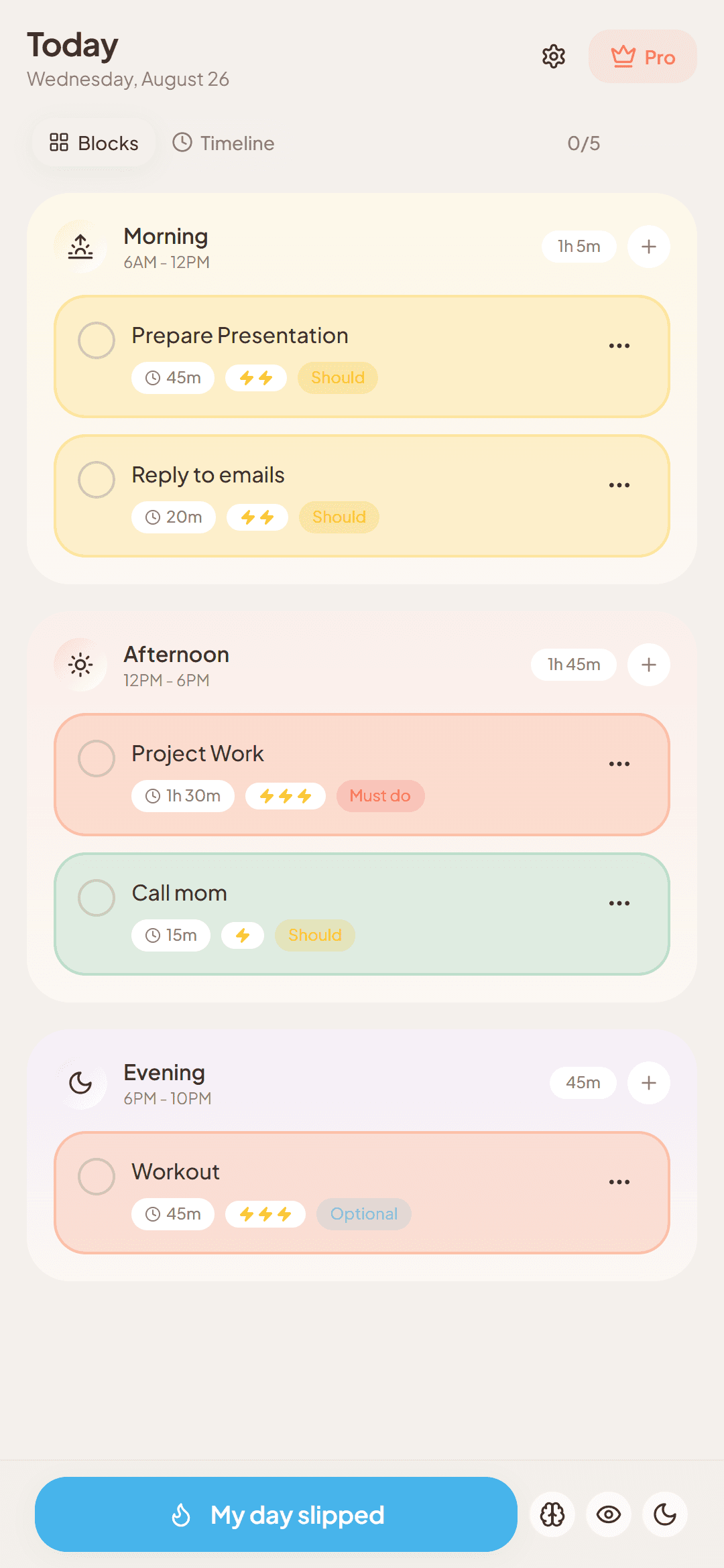
Most planners work... until life happens.
A daily plan can become unrealistic quickly. A meeting runs late, a task takes longer than expected, something interrupts you, or your energy drops. A flexible daily planner should help you adjust instead of making the rest of the day feel lost.
- A meeting runs late
- The next thing on your list was supposed to start already.
- A task takes longer than expected
- Everything after it gets pushed back too.
- Something interrupts you
- A call, a request, or anything else you didn't plan for.
- Your energy drops
- The plan assumed energy you don't have right now.
What is Chaos Mode?
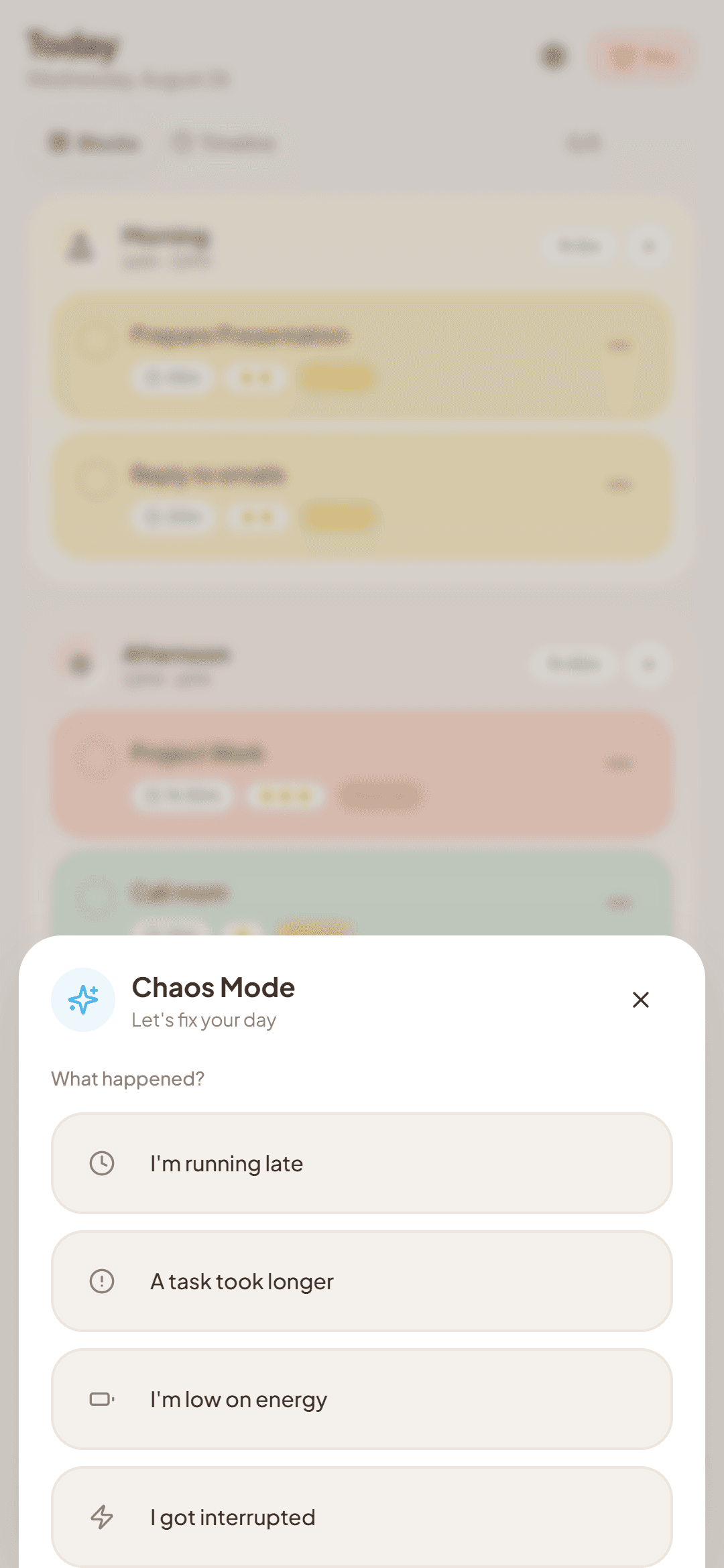
Chaos Mode is DayFix’s recovery workflow for days that stop going according to plan. When you’re running late, interrupted, low on energy, or a task takes longer than expected, DayFix helps you reorganize what remains so you can move forward with a more manageable plan.
In Chaos Mode, you choose what happened:
- I'm running late
- A task took longer
- I'm low on energy
- I got interrupted
See how Chaos Mode helps you recover your day
Imagine you're running late and the rest of your afternoon no longer fits the original plan. Chaos Mode helps you reorganize what remains instead of starting over.
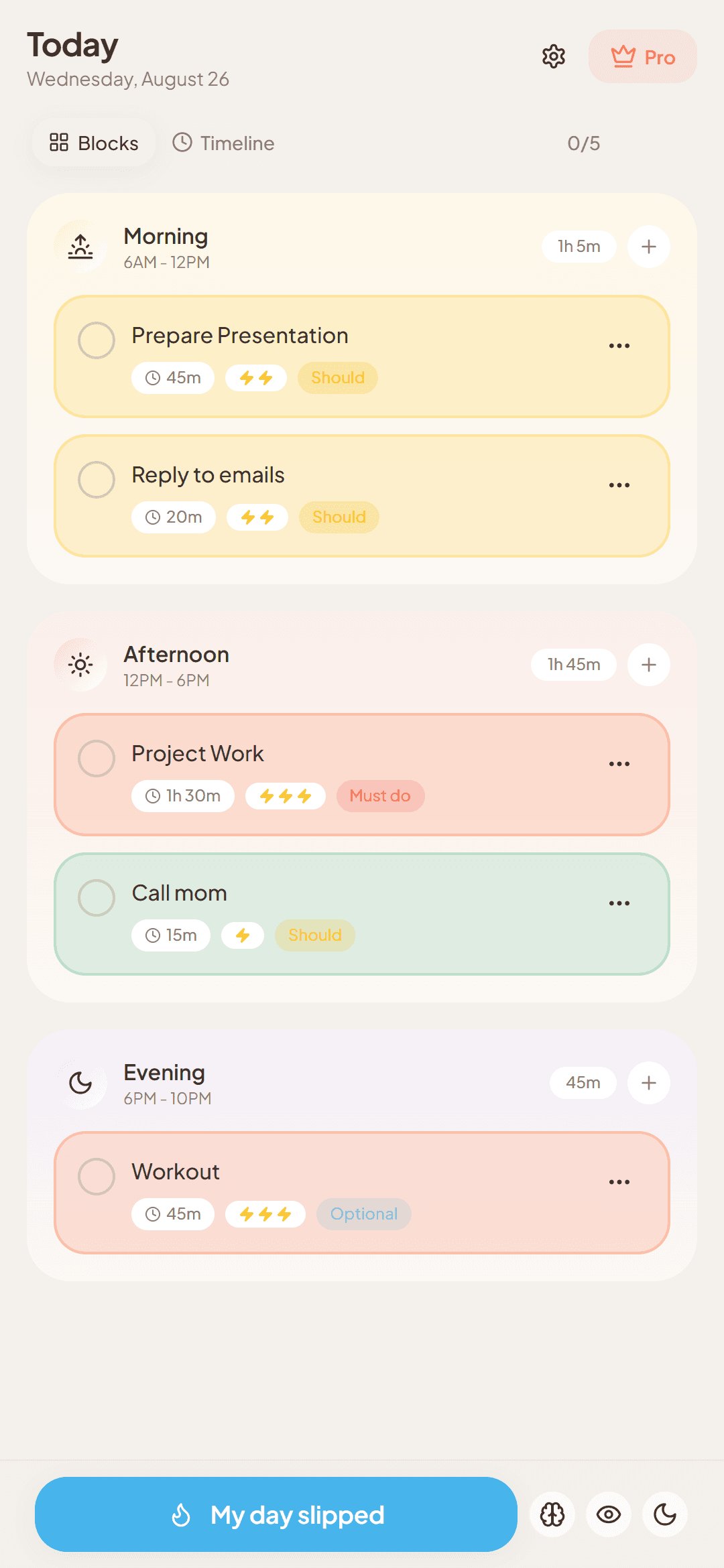
Original plan
I'm running late
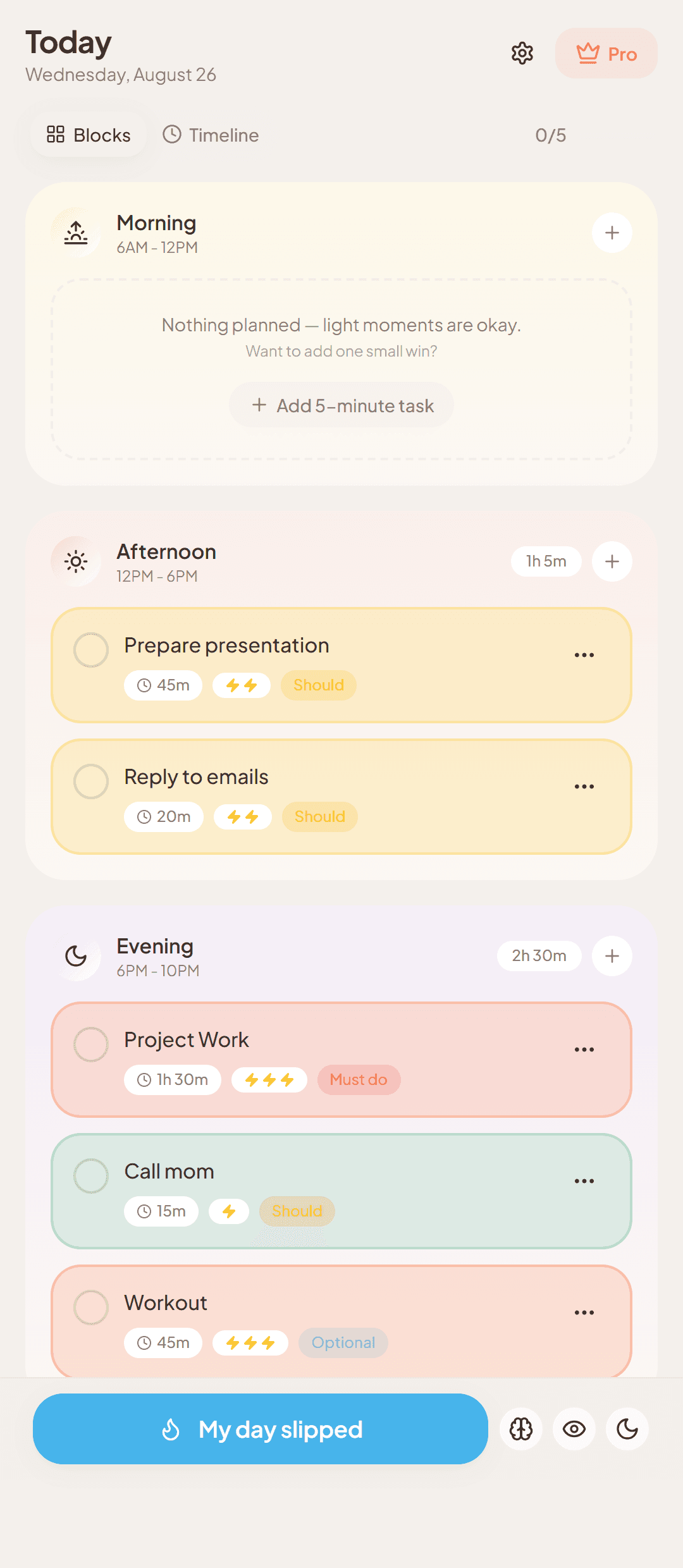
Adjusted plan
The features that keep your day realistic
Alongside Chaos Mode, these are the everyday tools that keep your plan realistic.
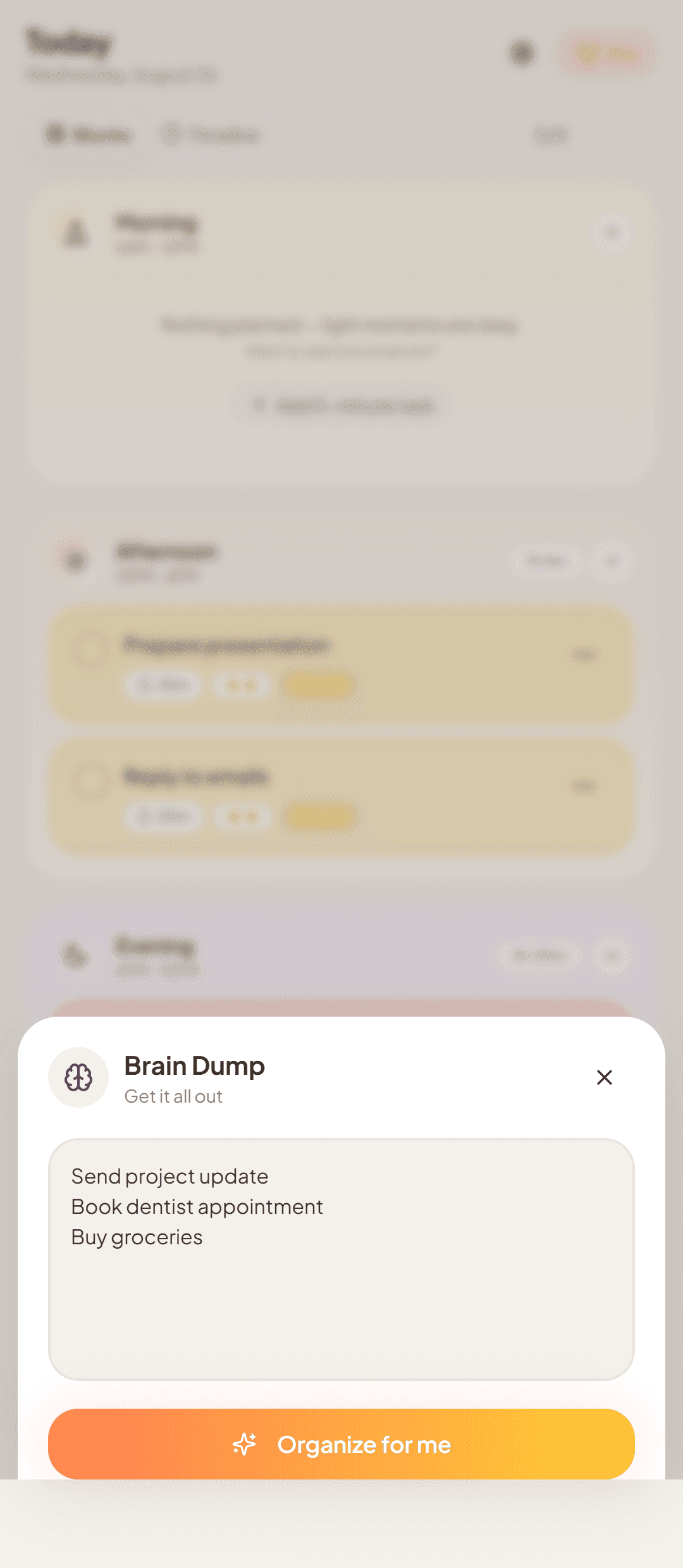
Brain Dump
Get everything out of your head in one place. Brain Dump gives you a fast way to capture tasks and thoughts as they come to you, so you're not trying to hold them in your head while you plan your day.
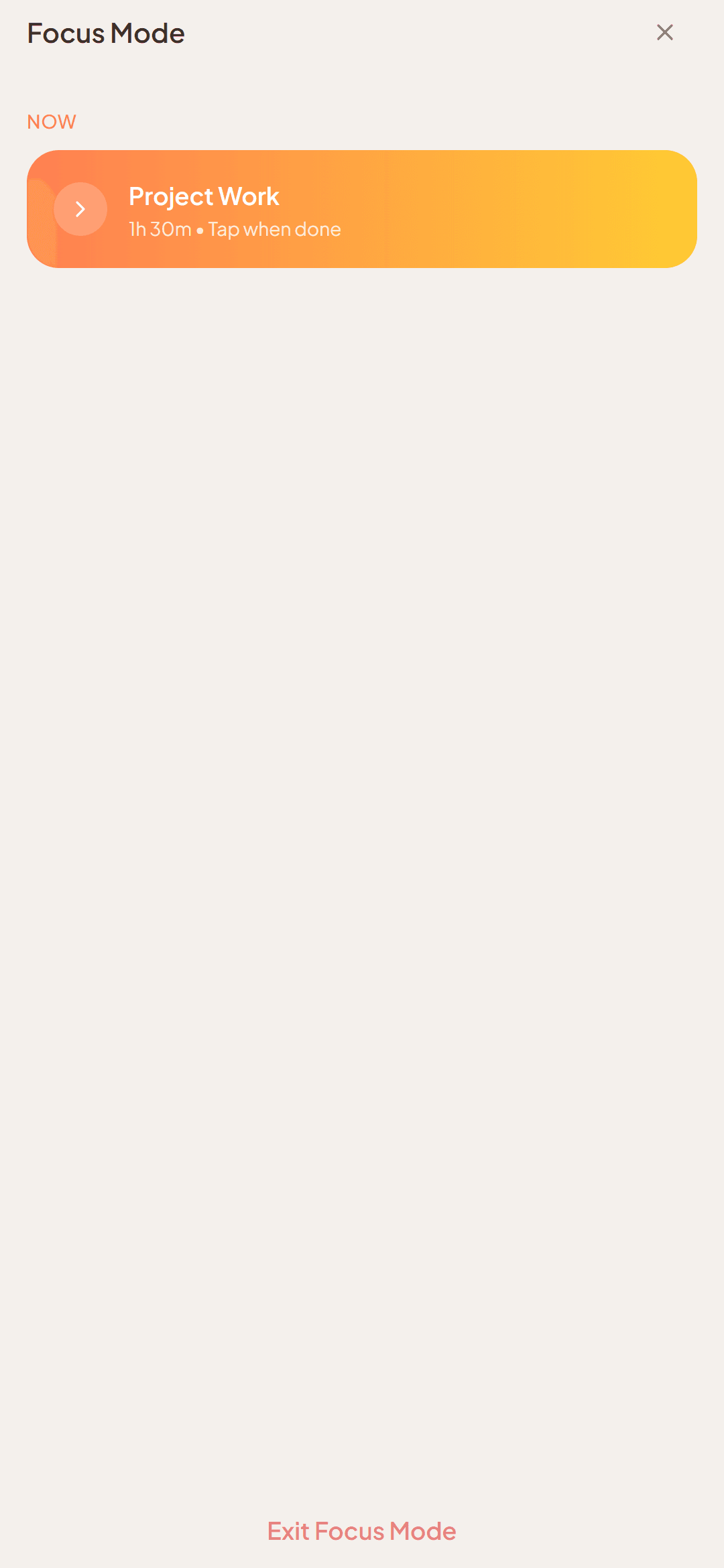
Focus Mode
Focus Mode keeps one task in view at a time, so you can work on what's in front of you without juggling the rest of your list. The task stays central — not a countdown, score, or productivity dashboard.
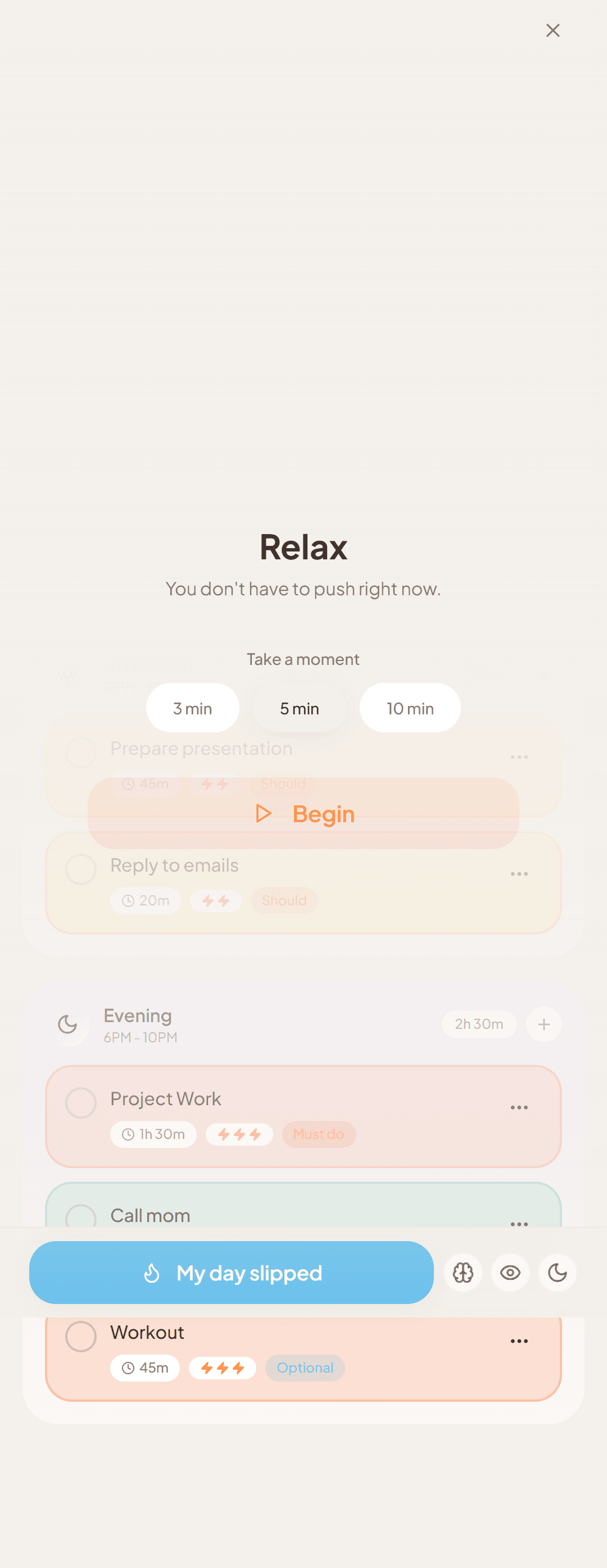
Relax Mode
Relax Mode gives you a short, intentional break in your day, separate from Focus Mode — a moment to reset before you move on to what's next.
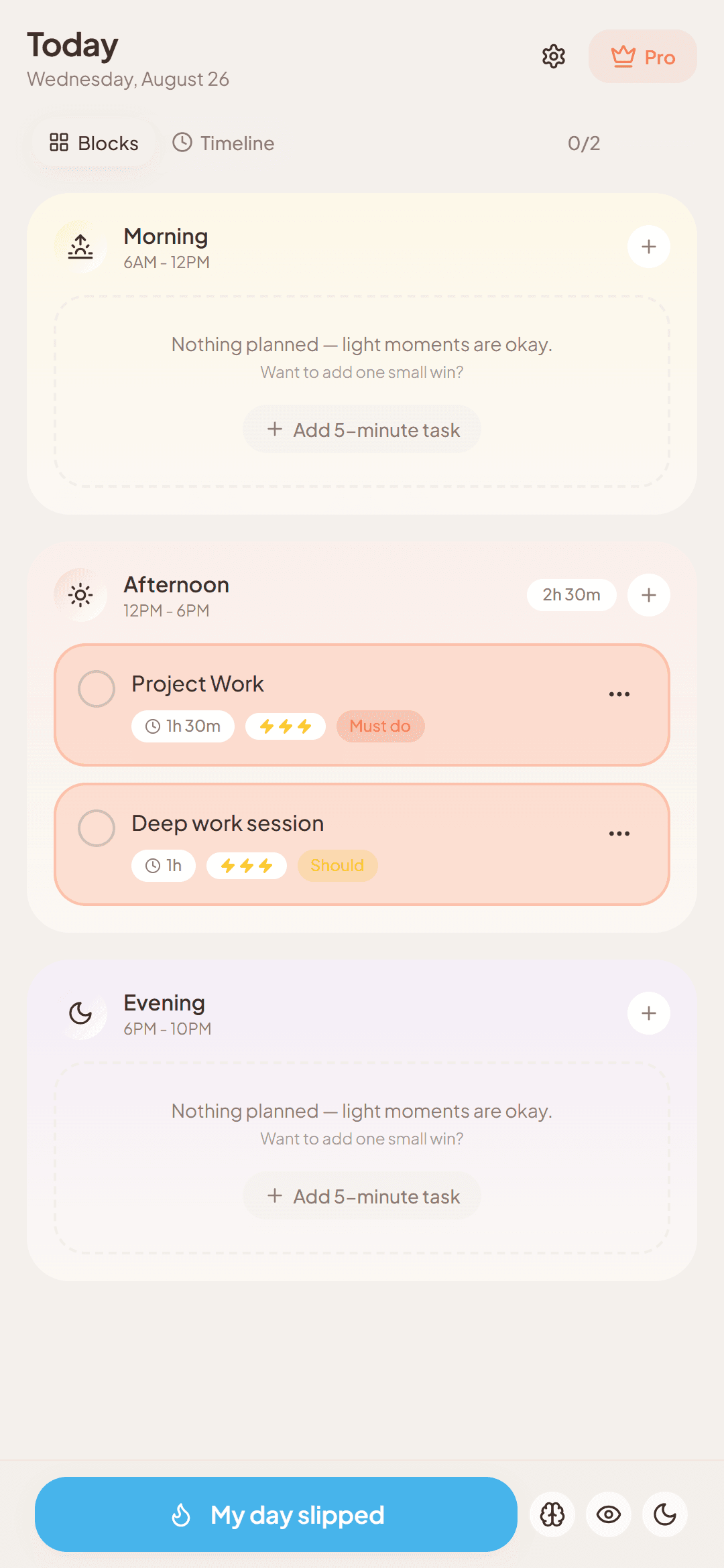
Energy-based planning
DayFix lets you consider your energy when organizing the day, so you can see which tasks may fit better when your energy is higher or lower.
How DayFix works
DayFix keeps daily planning simple: make a realistic plan, focus on what matters now, and adjust when the day changes.
Step 1
Plan your day
Organize the tasks that matter today, set priorities, and build a plan you can actually follow.
Step 2
Focus on what's next
Keep the next task clear so you can work on what's in front of you without carrying the whole day in your head.
Step 3
Adapt when the day changes
If the day slips, use Chaos Mode to reorganize what remains and move forward with a more manageable plan.
Built for what happens after the plan changes
Planning the day is only the beginning. When the original plan stops fitting, DayFix gives you a way to adjust instead of treating the schedule as fixed. Everyday planning helps you organize the day; Chaos Mode helps you reorganize what remains and move forward with a more manageable plan.
When the original plan stays fixed
- Plan
- Follow
- Day changes
- Plan stops fitting
The DayFix approach
- Plan
- Focus
- Day changes
- Adapt
Your day changed. Your planner should too.
A look that feels like yours
Make DayFix feel more comfortable to use throughout the day. Choose from Soft, Neutral, or Focus themes, with System, Light, and Dark appearance options — while the planning experience stays simple and consistent.
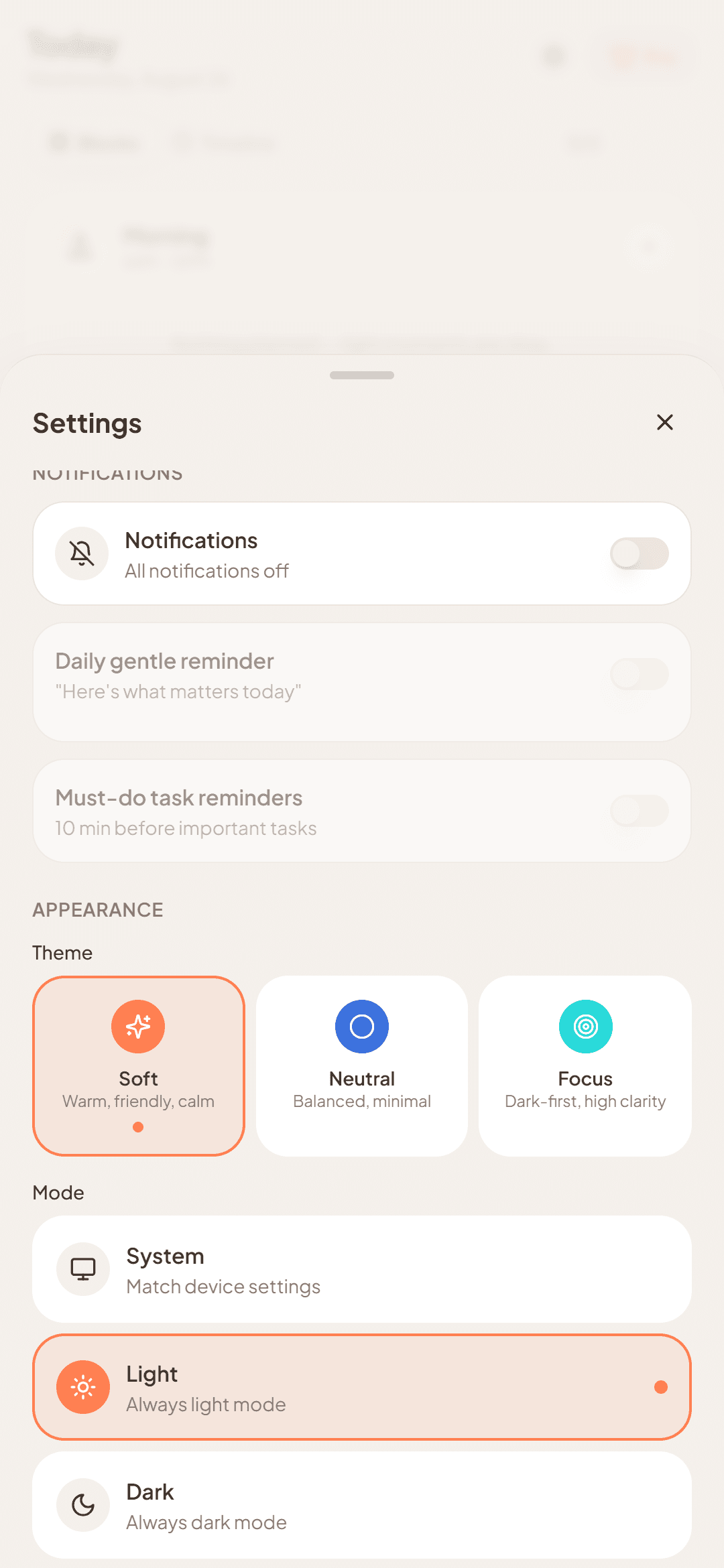
Themes
Soft · Neutral · Focus
Appearance
System · Light · Dark
Start free. Upgrade when you’re ready.
DayFix is free to use. Pro removes the daily limits on tasks, Focus and Relax sessions, and Chaos Mode rescues.
Free
$0 Forever
- Up to 5 tasks
- 1 Focus session per day
- 1 Relax session per day
- Brain Dump
- Basic themes
- 1 Chaos rescue total
Pro
- Weekly
- $2.99 per week
- Monthly
- $7.99 per month
- Annual
- $39.99 per year
- Unlimited tasks
- Unlimited Focus sessions
- Unlimited Relax sessions
- Unlimited Chaos Mode rescues
Frequently asked questions
Answers to common questions about DayFix, Chaos Mode, and pricing.
What is DayFix?
DayFix is a flexible daily planner that helps you organize your tasks, plan around your energy, stay focused, and adjust your remaining schedule when the day changes.
What is Chaos Mode?
Chaos Mode is DayFix's recovery workflow for days that stop going according to plan. When you're running late, interrupted, low on energy, or a task takes longer than expected, DayFix helps you reorganize what remains so you can move forward with a more manageable plan.
Is DayFix free?
Yes. The Free plan includes up to 5 tasks, 1 Focus session per day, 1 Relax session per day, Brain Dump, basic themes, and 1 Chaos Mode rescue. Pro offers unlimited tasks, Focus and Relax sessions, and Chaos Mode rescues.
What's included in Pro?
Pro includes unlimited tasks, unlimited Focus sessions, unlimited Relax sessions, and unlimited Chaos Mode rescues.
Does DayFix use AI?
DayFix currently uses simple, predictable planning logic rather than generative AI to organize or adjust your day. Chaos Mode helps reorganize what remains without presenting itself as an AI planner.
Is DayFix available on Google Play?
DayFix is being prepared for release on Google Play. We'll add the download link here when the public release is available.
Ready for whatever your day brings
DayFix is built to help you keep moving when your day doesn't go to plan. We're preparing the first public release for Google Play.
Coming soon to Google Play